DCM-1 Setup Guide
Six steps, about five minutes. Technicians: keep this page open and walk your customer through it right at the piano.
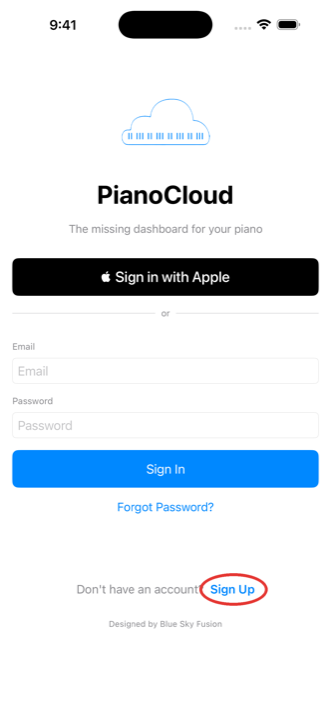
This is the customer's account on the customer's phone. Your part as the technician is step 5. The red marks in each picture show exactly what to tap.
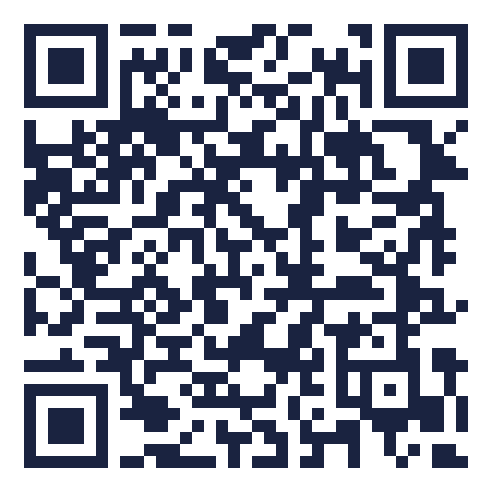
1 · Download the PianoCloud Monitor app
On the customer's phone, scan the code that matches it, or tap the button.

2 · Create the account
Open the app and tap Sign Up at the bottom (or use Sign in with Apple on iPhone). Use the customer's own email; alerts about their piano should come to them.
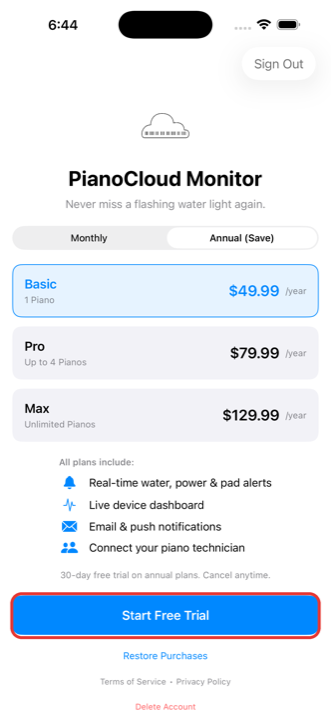
3 · Choose a plan
The DCM-1 is a monitoring service, so a subscription makes it go. Annual plans include a 30-day free trial. Payment runs through the App Store or Google Play, the same as any app subscription; no card is typed into our app.
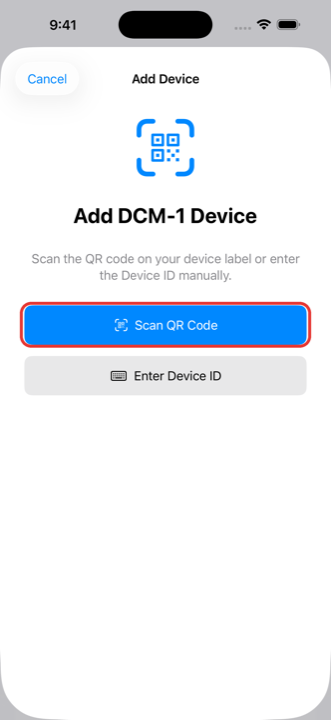
4 · Add the DCM-1
The QR is on the sticker that came in the bag, and the same code is printed on the front of the DCM-1 itself.
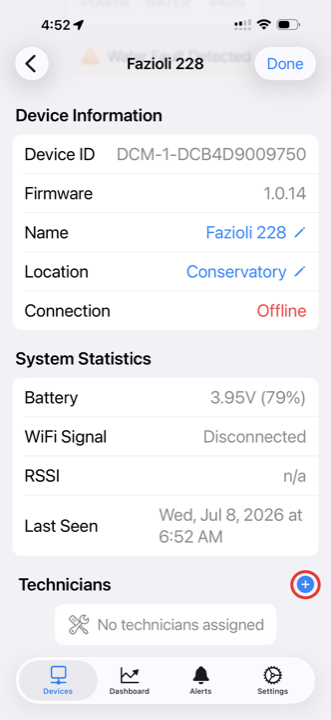
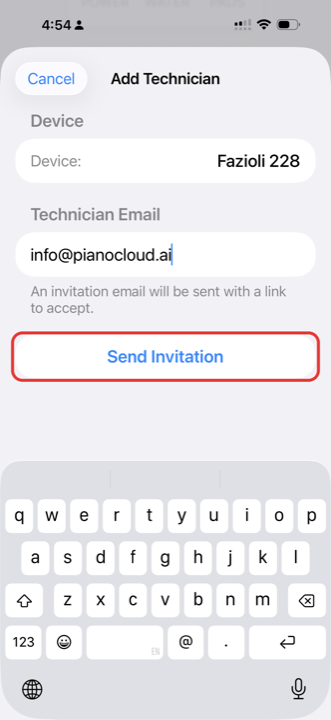
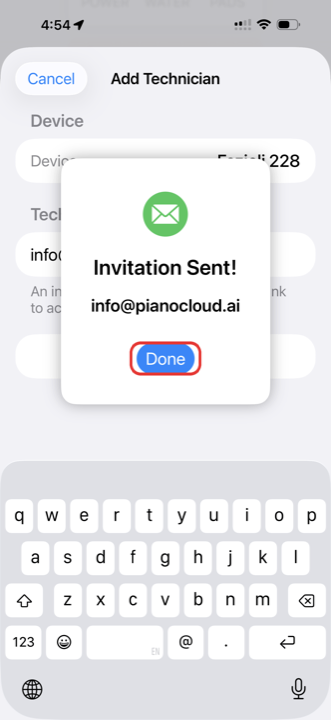
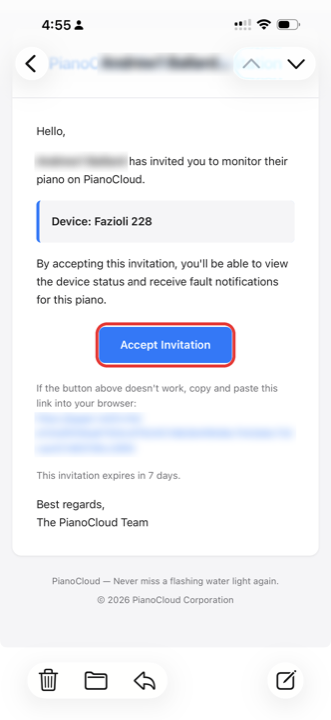
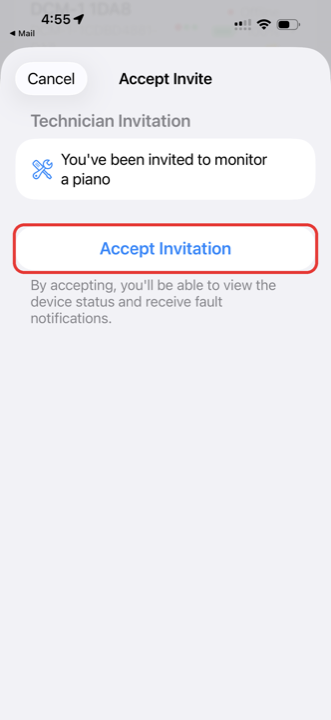
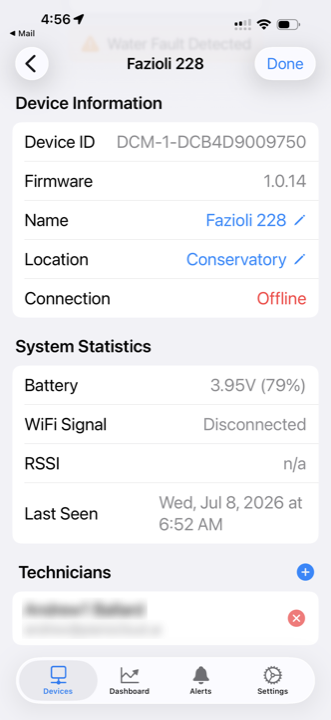
5 · Add your technician
Six little screens, start to finish. The customer does a through c; the technician does d and e; f is what done looks like.
6 · Turn notifications on
When the app asks to send notifications, tap Allow. If it was dismissed, turn it on in the phone's Settings for PianoCloud Monitor. An alert nobody sees is the exact problem this product exists to fix.
The overnight safety net: if a fault goes uncorrected overnight, your technician receives a daily email and, with your OK, may reach out. Tell your technician now if that is fine with you.
Stuck on any step? Help · Contact us